Morgan agreed to lend Casey $2,400 for moving costs over coffee on a Saturday. By Sunday night, both had signed the agreement from their own couches, on their own phones, without printing a single page. You can sign a loan agreement online the same way, and in the United States it can count just as much as ink, provided both people clearly mean to sign and the record is kept. This guide shows the order that works, using the real screens in IOUEZ, and the few places where people slip.
What signing online actually means
Start with the reassuring part. A federal law, the Electronic Signatures in Global and National Commerce Act (usually called the ESIGN Act), says that for transactions in or affecting interstate or foreign commerce, a signature, contract or record can’t be denied legal effect just because it’s electronic. Nearly every state has also adopted the Uniform Electronic Transactions Act, which says much the same thing for state law; New York has its own electronic signature statute instead.
ESIGN defines an electronic signature broadly: a sound, symbol or process attached to or logically associated with a record, and adopted by a person with the intent to sign it. A name drawn with your finger on a phone qualifies. So does a typed name, in principle. What matters is intent and the record around it: who signed, when, and what exactly they signed.
That’s why the steps below care so much about the record itself. A clear agreement with both names, both signatures, timestamps and terms that can’t be quietly changed afterwards is the version you want if anyone ever asks questions. For the legal background in more depth, see our explainer on electronic signatures for personal loans.
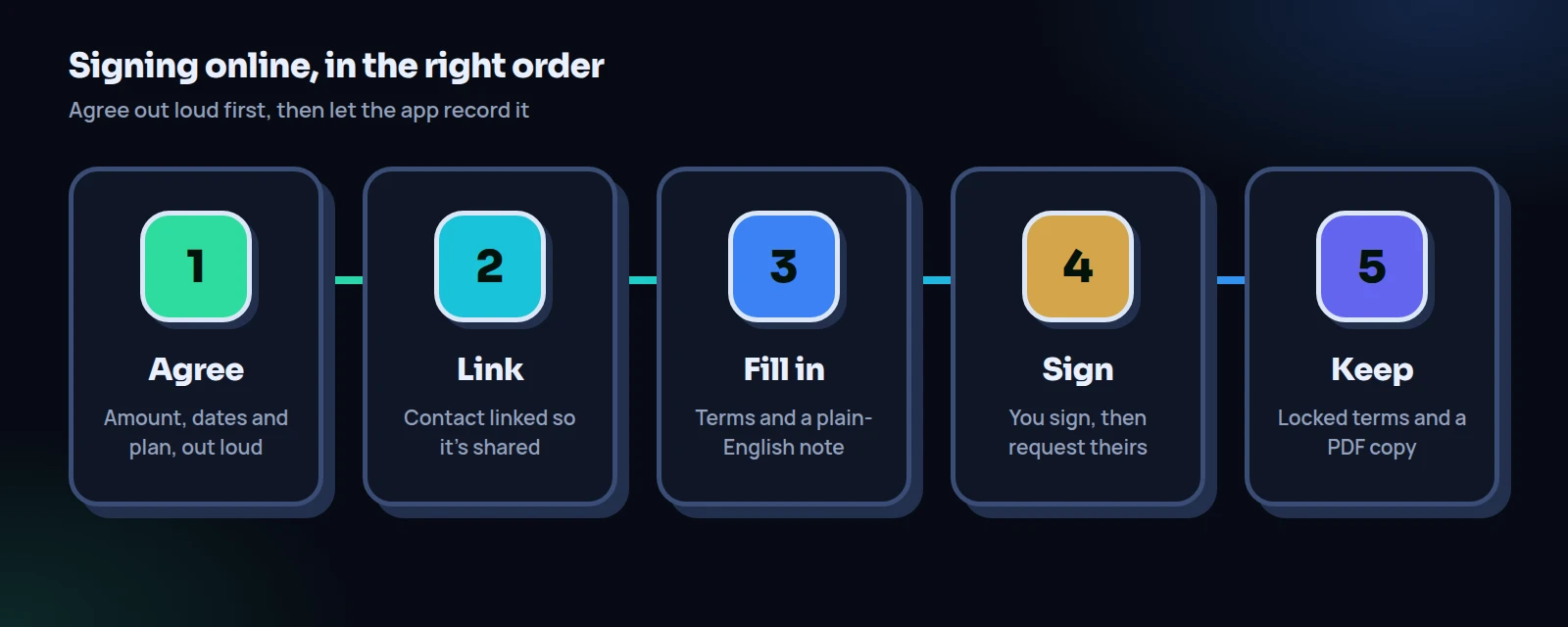
Before the app: agree the deal out loud
The app records a deal. It can’t invent one. Before anyone opens a form, settle five things in conversation: the exact amount, what it’s for, how it gets paid back (one lump sum or a set amount on set dates), whether there’s interest, and what happens if a payment will be late.
Morgan and Casey’s version took four minutes. $2,400, no interest, eight payments of $300 on the 1st of each month starting November 1, last payment June 1. If a payment will be late, Casey says so before the due date and they pick a new date together. Payments by bank transfer, so each one leaves a trail.
Tip
Say the deal back in one sentence before you leave the table: “So it’s $2,400, eight payments of $300 on the 1st, first one November 1, no interest.” If either person hesitates, you’ve just found the misunderstanding for free.
Step 1: Make sure the agreement will be shared
To sign a loan agreement online with someone, they need to see it on their own device. In IOUEZ, that happens when your contact is linked to their account. Open Contacts, choose Add contact (or edit the existing one), and enter their Email or Phone with the country code. When IOUEZ finds their account, the contact shows Linked to IOUEZ. If they’re not on IOUEZ yet, send them the sign-up link first and link them once they’ve joined.
Why bother? Because an agreement with an unlinked contact is private: only you see it. You can still sign it, and you can have them sign on your device while you’re together, but they won’t have their own copy, they won’t get reminders, and they can’t record payments themselves. A shared agreement gives both of you the same live record.
Step 2: Fill in the new agreement, field by field
On the dashboard, tap I lent money (or I borrowed money if you’re the borrower; either person can create it). The New agreement page opens. Choose the contact. If they’re linked, a green note says Shared agreement and that they’ll see it in their app and can sign it. That note is your green light.
Worked example: what Morgan typed
| Field | What Morgan entered | Why |
|---|---|---|
| Direction | They owe me | Morgan is the lender |
| Contact | Casey (on IOUEZ) | Linked, so it’s shared |
| Amount / Currency | 2400 / USD | Exact figure, no rounding |
| Description | Moving costs, Oct 2026 | A short label for the list |
| Category | Friends | Helps filtering later |
| Due date | Jun 1, 2027 | The final payment date |
| Interest rate (%) | left empty | No interest agreed |
| Notes / terms | 8 payments of $300 on the 1st, Nov 1 to Jun 1. Late? Casey tells Morgan before the date. | The real plan, in plain words |
The form showed a Total due of $2,400.00. Morgan tapped Create agreement, and a message confirmed it was shared with Casey.
Two fields deserve a second look. The Interest rate (%) is a flat percentage on the amount, not an annual rate. Type 5 on $2,400 and the total becomes $2,520, regardless of how many months repayment takes. And the Due date drives the automatic reminders on shared agreements. For an installment-style loan we’d set it to the last payment date and spell out the plan in Notes / terms, as Morgan did, then add the schedule itself in the next step.
On Android, the form is called Add IOU and works the same way: choose Someone owes me or I owe someone, the person, amount, currency and dates. It also has a Payment Installments switch for a weekly, every-two-weeks or monthly schedule, an Add Witness option, and an IOU Agreement switch that prepares a formal agreement document you can preview with Preview Agreement before you Confirm & Save.
Step 3: Read it back before anyone signs
Open the new agreement and read the Terms card as if you were the other person. Is the amount right? The currency? Does the note match what you said at the table? This is the cheapest moment to fix a typo: until both of you have signed, you can still change everything with Edit.
It’s also the moment to add a payment schedule, if your plan includes installments. On the agreement page, choose Set up installments, pick the number of payments, how often and the first payment date, check the preview and save. Morgan set 8 monthly payments of $300 from Nov 1. Once a schedule is in place, reminders follow each installment instead of the single due date. Don’t leave this for later: once both of you have signed, the terms are locked and a schedule can’t be added.
Tip
Send the borrower a quick message before you sign: “Just created it, have a look at the notes and tell me if anything’s off.” It turns signing into a shared check instead of a formality.
Step 4: Sign the loan agreement online yourself
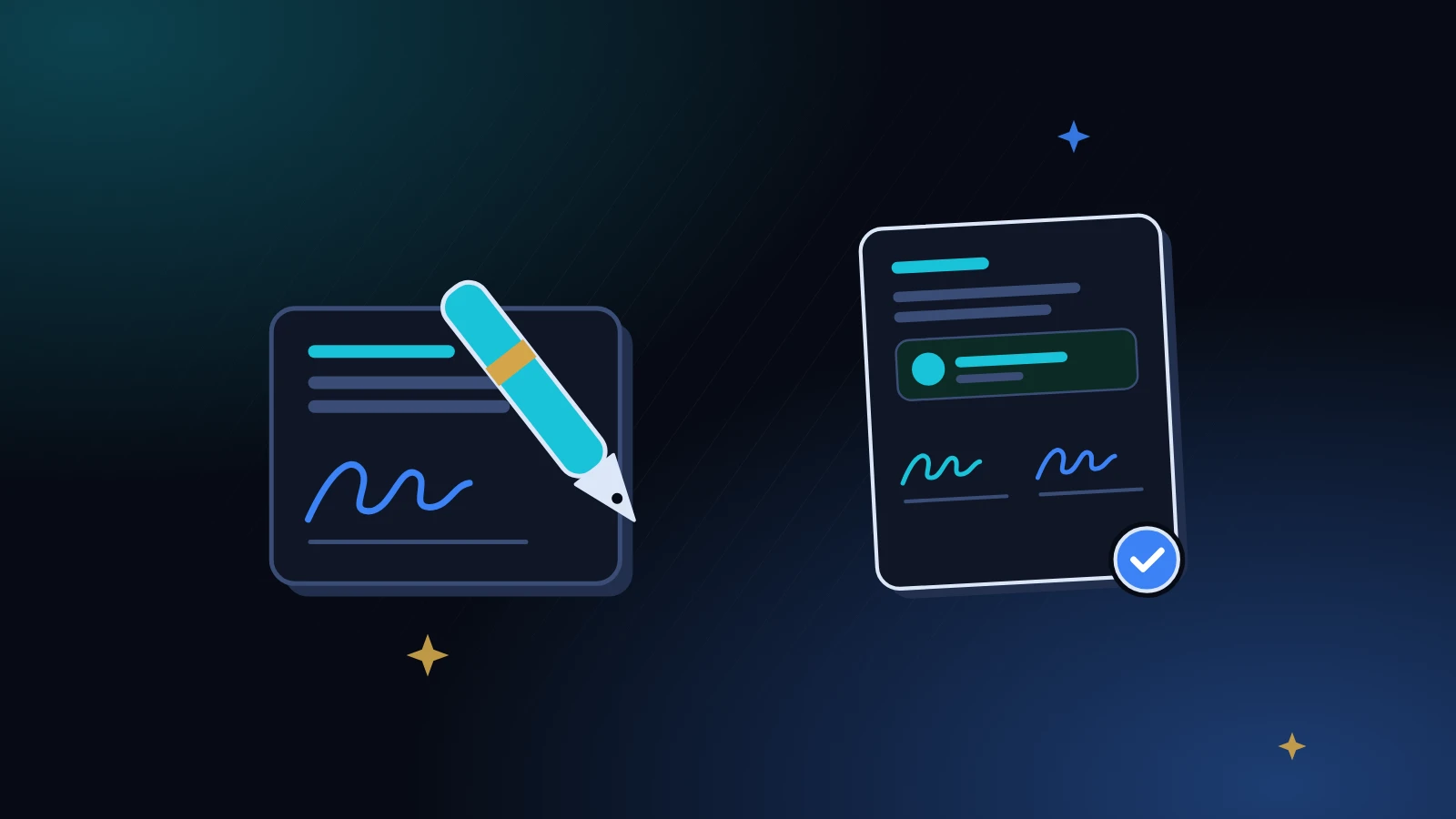
In the Signatures card you’ll see two slots, lender and borrower, each marked Signed or Not signed. Tap Sign now on your own slot. The Sign the agreement window opens with a one-line summary at the top, for example “Casey owes Morgan $2,400.00 by Jun 1, 2027 for Moving costs, Oct 2026.” Read that line. It’s the whole deal in a sentence.
Below it, check Full name of signer (it’s filled with your profile name; use your legal name if that’s different), draw your signature in the box, tick I agree to the terms of this agreement., and tap Sign. The signing button stays grey until you’ve drawn something, and the app won’t accept the signature without the name and the tick. That checkbox isn’t decoration: it’s your explicit statement of intent, which is exactly what electronic signature law cares about.
Once signed, your slot shows the signature image, your name and the date and time you signed.
Step 5: Get the second signature
You can’t finish until the other person can sign a loan agreement online too, from their side. Casey got a notification that Morgan had shared an agreement. If the other person hasn’t signed after a day or so, open the agreement and look for the Remind them card. Request signature sends them a fresh notification, and the card tells you when it’s been delivered.
When they sign from their own account, their slot fills in with their signature, name and timestamp. Both people signing on their own devices is the strongest version, because each signature comes from that person’s own login.
Watch out
The Sign for them (in person) button lets the other person sign on your device. The window literally says to hand the device over and to only do this when they’re with you. Never use it to sign on someone’s behalf when they’re absent. A signature they didn’t make is worse than no signature at all.
After both sign: what locks, and what doesn’t
The moment the second signature lands on a shared agreement, two things change. A Signed by both label appears at the top, and the Terms card shows a Locked badge. From now on the amount, currency, interest rate and due date can’t be edited by either person; the Signatures card says so in plain words. The description, category and notes stay editable, so you can still tidy up labels.
Once the terms are locked, the agreement is the one you both signed, full stop. This is the feature that makes an online agreement more useful than a chat message. Nobody can “remember” a different number, because the number can’t move. If you genuinely need new terms later, say after a job loss, agree them together and record the change openly. Our guide on changing the terms of an IOU fairly has a clean method.
A good online agreement isn’t fancy. It’s specific, it’s signed by both people, and it can’t drift.
Keep your own copy
Your agreement lives in your account, and you should still keep a copy outside it. In the web app, the agreement page has a Print / PDF button. It prints a clean “Loan agreement” document with the agreement ID, the terms, every payment recorded so far, and both signature slots with names and signing times. Choose “Save as PDF” in your browser’s print window and store the file somewhere you’ll find it.
On Android, the agreement screen has a share section for the formal agreement document with PDF, image, WhatsApp and SMS options; the app notes that both parties must sign before the document is generated. The Android Export Data screen can also export all your agreements and payments as a spreadsheet-friendly CSV file or a PDF report, and in the web app, Settings → Export your data downloads your agreements as a CSV file (or, depending on your plan, an Excel workbook with payments too). We cover copies in more depth in exporting your loan records.
When the other person isn’t on IOUEZ
Not everyone will sign up, and that’s fine. You have two honest options. First, a private agreement with a signing session in person: create it, sit together, sign your slot, then hand them your device for Sign for them (in person). Be aware that for agreements that aren’t shared, only the signer’s name syncs to your account; the drawn signature stays on the device where it was made. Save the PDF straight away so the drawing is captured in a file.
Second, write a short paper IOU, both sign it, take a photo, and record the loan as a private agreement so you still get the balance and payment history. Our walkthrough on how to write an IOU has wording you can copy. Either way, the goal is the same as in lending money to a friend: a clear record that both people agreed to.
Four mistakes people make when they sign a loan agreement online
Signing before talking. People open the app, fill in a number and send it, hoping the form will do the negotiating. It won’t. When you sign a loan agreement online, the conversation still has to happen first; the form just captures it.
Vague notes. “Pay back when you can” is a mood, not a term. Write dates and amounts.
The wrong legal name. If your profile says “Mo” and your bank account says “Morgan Ellis”, change the signer name in the signing window to the full name.
No copy outside the app. Accounts get deleted, phones get lost. Save the PDF the day the second signature lands.
How Morgan and Casey’s first month went
On November 1, Casey sent $300 by bank transfer and tapped Record payment: amount 300, date Nov 1, method bank transfer, and the bank’s confirmation code in Reference. Morgan’s screen updated to $300 of $2,400 paid, $2,100 remaining. Nobody had to send a “did you get it?” text. That’s what it looks like to sign a loan agreement online and then actually live with it: the hard conversation happened once, at the start, and the record handles the rest.
Checklist: before you sign a loan agreement online
- You agreed the amount, purpose, schedule, interest and late plan out loud.
- The contact shows as linked, and the form says “Shared agreement”.
- Amount and currency are exact, with no rounding.
- The due date is the final payment date, the plan is in Notes / terms, and any installment schedule is set up before signing.
- You both read the Terms card before signing.
- Each person signs on their own device, or together in person.
- “Signed by both” and “Locked” both show.
- A PDF copy is saved outside the app.
Frequently asked questions
Is it legal to sign a loan agreement online?
In the US, the ESIGN Act says a signature or contract can’t be denied legal effect solely because it’s electronic, and nearly all states have similar laws. Whether a specific loan is enforceable still depends on the facts and your state, so check with an attorney for large amounts. This is not legal advice.
Does the borrower or the lender create the agreement?
Either one. Pick I lent money or I borrowed money on the dashboard and the direction is set for you. Both people sign the same agreement.
Can I edit the agreement after we both sign?
Only the description, category and notes. Amount, currency, interest and due date are locked once both have signed a shared agreement.
What if the other person never signs?
Use Request signature to remind them. If they won’t sign at all, treat that as information: talk before any money moves.
Can I add a witness?
The Android app’s Add IOU form has an Add Witness option for names and contact details. The web form doesn’t have a witness field, so add witness details to Notes / terms if you use one.
Do I need to print anything?
No, but we recommend saving a PDF with Print / PDF once both signatures are in, and keeping it with your other records.
Sources
- U.S. Code, 15 U.S.C. § 7001, General rule of validity (ESIGN Act), Legal Information Institute, Cornell Law School.
- U.S. Code, 15 U.S.C. § 7006, Definitions, including the definition of “electronic signature”.
- U.S. Code, 15 U.S.C. § 7003, Specific exceptions, such as wills and certain family-law matters.
- Legal Information Institute, Electronic signature (Wex), an overview of ESIGN and the Uniform Electronic Transactions Act.